In-cluster deployment
Deploy interLink in the local K8S cluster.
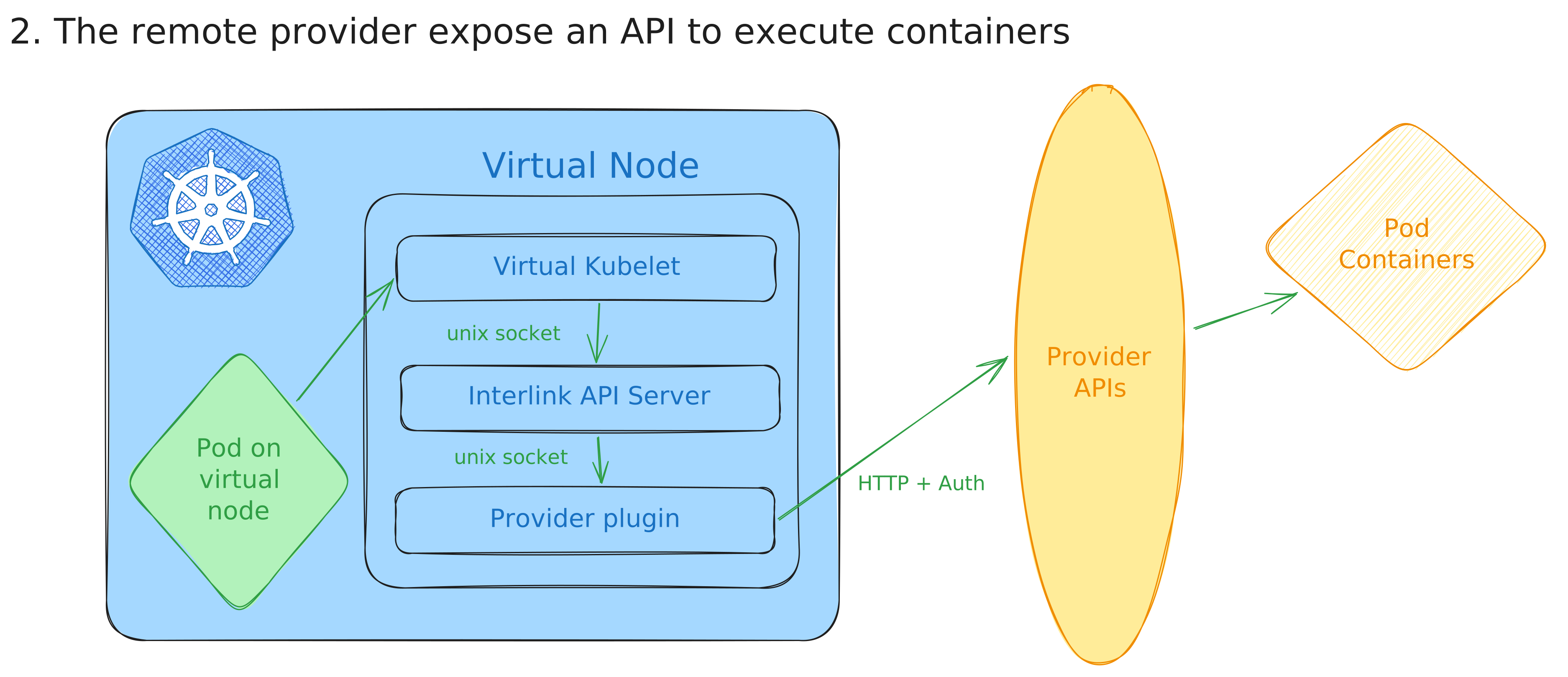
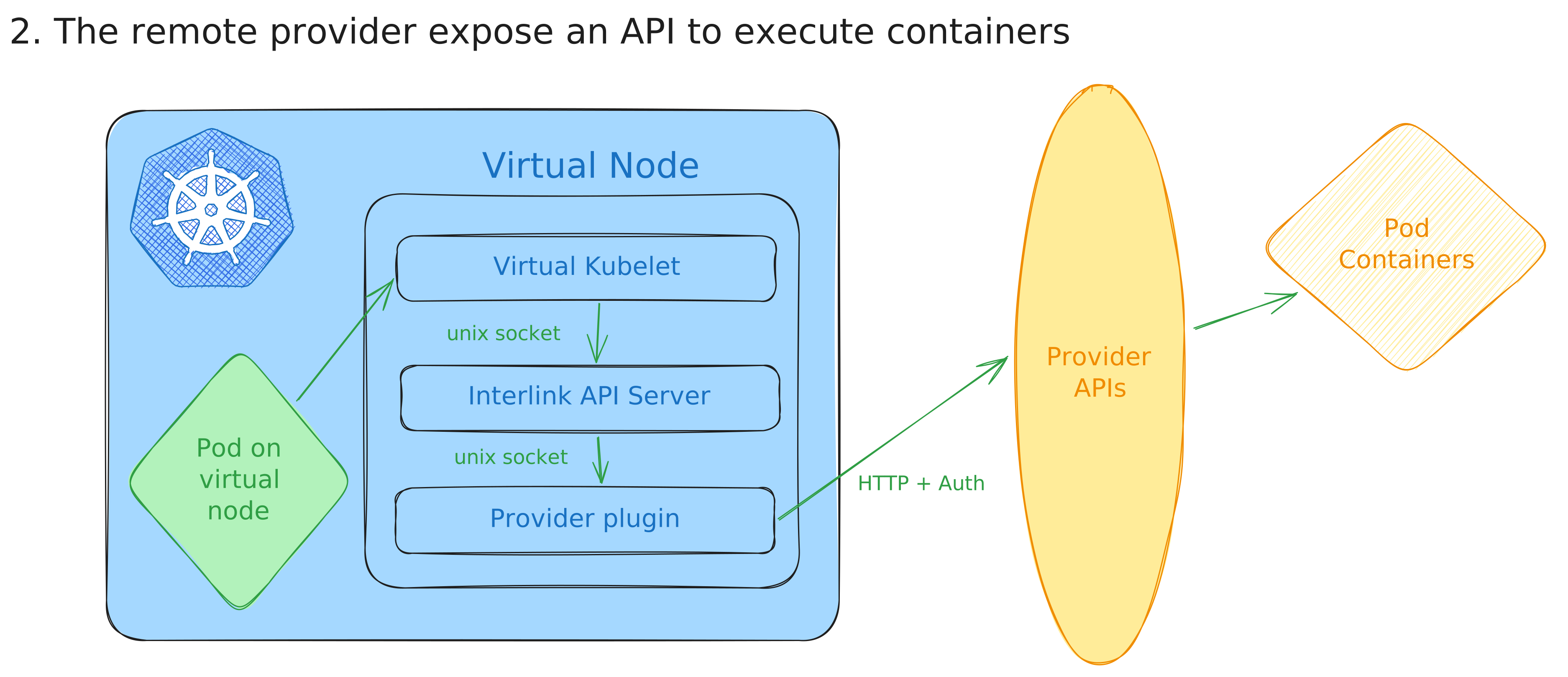
Install interLink
Deploy Kubernetes components
The deployment of the Kubernetes components are managed by the official HELM chart. Depending on the scenario you selected, there might be additional operations to be done.
- Create an helm values file:
nodeName: interlink-in-cluster

interlink:
  enabled: true
  address: http://localhost
  port: 3000
  logging:
    verboseLogging: true

plugin:
  enabled: true
  image: "ghcr.io/interlink-hq/interlink-sidecar-slurm/interlink-sidecar-slurm:0.5.1"
  address: "http://localhost"
  port: 4000
  privileged: true
  extraVolumeMounts:
    - name: plugin-data
      mountPath: /slurm-data
  envs:
    - name: SLURMCONFIGPATH
      value: "/etc/interlink/plugin.yaml"
    - name: SHARED_FS
      value: "true"
  config: |
    #Socket: "unix:///var/run/plugin.sock"
    ImagePrefix: "docker://"
    SidecarPort: 4000
    VerboseLogging: true
    ErrorsOnlyLogging: false
    DataRootFolder: "/slurm-data/"
    ExportPodData: true
    SbatchPath: "/usr/bin/sbatch"
    ScancelPath: "/usr/bin/scancel"
    SqueuePath: "/usr/bin/squeue"
    CommandPrefix: ""
    SingularityPrefix: ""
    Namespace: "vk"
    Tsocks: false
    TsocksPath: "$WORK/tsocks-1.8beta5+ds1/libtsocks.so"
    TsocksLoginNode: "login01"
    BashPath: /bin/bash

virtualNode:
  resources:
    CPUs: 4
    memGiB: 16
    pods: 50

extraVolumes:
  - name: plugin-data
    hostPath:
      path: /tmp/test
      type: DirectoryOrCreate
On some Kubernetes distributions (e.g. minikube) /tmp on the node is mounted
with the noexec option, so scripts placed in the plugin data folder cannot be
executed. If that is your case, pick a different host path for the
plugin-data volume, e.g. /data/interlink.
Eventually deploy the latest release of the official:
  export INTERLINK_CHART_VERSION="X.X.X"
  helm upgrade --install \
  --create-namespace \
  -n interlink \
  my-node \
  oci://ghcr.io/interlink-hq/interlink-helm-chart/interlink \
  --version $INTERLINK_CHART_VERSION \
  --values values.yaml
Remember to pick the
version of the chart
and put it into the INTERLINK_CHART_VERSION env var above.
Whenever you see the node ready, you are good to go!
You can find a demo pod to test your setup here.
To start debugging in case of problems we suggest starting from the pod containers logs!
When the virtual node registers, the virtual kubelet requests a
kubelet-serving certificate. Kubernetes does not auto-approve this kind of
CSR by default, so on clusters without an external approver the request stays
Pending and commands like kubectl logs against pods on the virtual node
fail with tls: internal error. Check for pending requests and approve them
manually:
kubectl get csr
kubectl certificate approve <csr-name>